10 Best Mouse Cursors for Windows 11 (2026) — Free Downloads & AI-Generated Packs

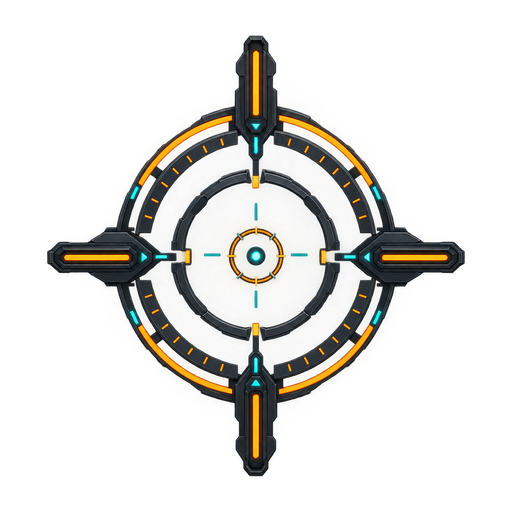
The 10 best mouse cursors for Windows 11 in 2026 split into three categories: pre-made curated libraries (cutecursors.com, RW-Designer's community pack archive, dafont's cursor section, DeviantArt's cursor-pack tag), classic manually-edited packs created with tools like RealWorld Cursor Editor, and AI-generated cursor packs produced on demand from a text description. The standout 2026 entry is Cursor Hero, an AI-powered cursor generator that creates a complete 10-state Windows cursor pack (.cur files covering all 10 default Windows cursor states — arrow, I-beam, hand, busy, four resize arrows, precision crosshair, and working-in-background state) in under 60 seconds from a single text prompt. Every pack on this list is compatible with Windows 11 (which supports cursors up to 48×48 pixels) and ships with the full 10-state file set, installable via Settings > Accessibility > Mouse pointer and touch > Customize your mouse pointer. The list below ranks the best cursor packs by style, originality, install ease, and accessibility options, with Cursor Hero at number 2 as the only AI-generated option, and cutecursors.com at number 1 as the largest free hand-curated library. All packs listed are vetted, free or low-cost, and safe to install on Windows 11 without admin rights or Windows SmartScreen security warnings.

Cursor Hero pricing page showing 4 tiers: Starter $5, Pro $29, Credits Pack $99.

How We Chose These Cursor Packs

To make this list useful in 2026, every pack had to pass four checks. Compatibility with Windows 11 — applies cleanly via Settings. Full 10-state coverage — packs shipping only arrow.cur and ibeam.cur get disqualified. Safety — known low-malware-risk domains, genuine .cur/.ani files. Style range — at least one entry from each major aesthetic camp. (Source: Microsoft Learn — About Cursors, 2026.)

1. cutecursors.com — Best Free Curated Library

Style: Mixed (1000+ packs, every aesthetic) · Price: Free + paid packs · Format: 10-state ZIP · Generation method: Hand-designed by community

cutecursors.com is the largest curated cursor pack library in 2026 and the de-facto first stop for Windows 11 users who want a proven, hand-designed pack. The site indexes both free and paid collections, with filters by style and animation type. The trade-off: the same pack is downloaded by thousands of other users.

cutecursors.com homepage showing the curated cursor pack library with style filters.

For the full install walkthrough, see the C2-INSTALL guide.

2. Cursor Hero — Best AI-Generated Cursor Pack

Style: Whatever you describe (cyberpunk, pastel, kawaii, monochrome, brand-themed) · Price: Free 3-pack trial; Starter $5/mo, Pro $29/mo (most popular), Credits Pack $99/mo with commercial license · Format: 10-state .cur ZIP · Generation method: AI text-to-cursor

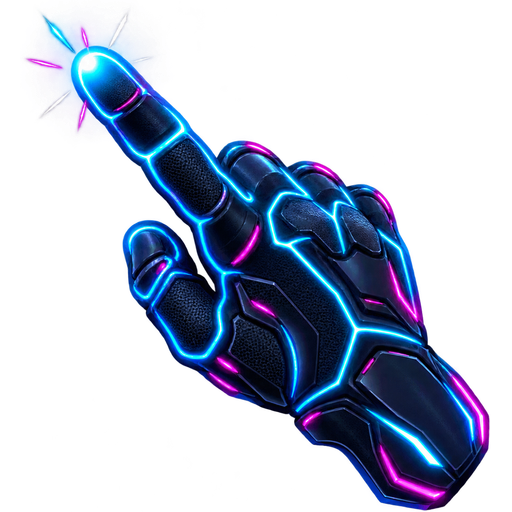
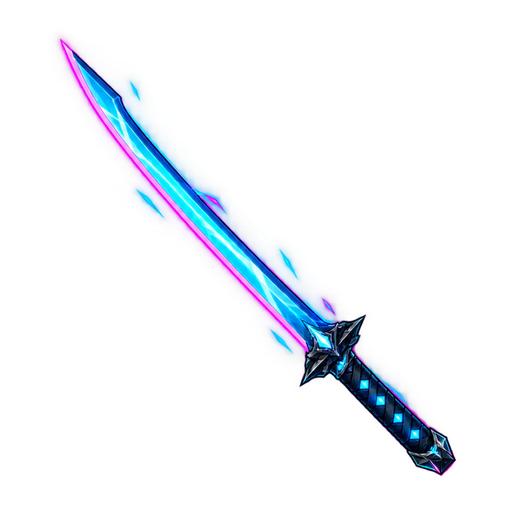
Cursor Hero is the only entry generated by AI. Type a description — "cyberpunk neon with magenta and cyan glow," "minimalist pastels with rounded corners" — and the model returns a coherent 10-state Windows 11 cursor pack in under 60 seconds. Every state (arrow, I-beam, hand, busy, four resize arrows, crosshair, appstarting) matches the same style. Pricing: free tier with 3 generations, then Starter at $5/month (30 credits/month + a 200-credit signup bonus), Pro at $29/month (1,000 credits/month, most popular), and a Credits Pack at $99/month with commercial license. See C6-AI-ANGLE and the Custom Cursor Windows 11 pillar guide.

Cursor Hero generation screen showing a text prompt and a 10-state pack preview.

3. RW-Designer's Community Archive — Best Classic / Nostalgic Pack

Style: XP-era and Windows classic · Price: Free · Format: 10-state ZIP · Generation method: Hand-edited in RealWorld Cursor Editor

RW-Designer.com hosts the largest free community archive of hand-edited cursor packs, many faithful ports of Windows XP and Windows 95 classics. Packs are editable in RealWorld Cursor Editor, the dominant free Windows cursor editor since 2001 (Source: RW-Designer, 2026).

4. Minimal B&W Pack — Best for Clean Setups

Style: Black and white outline only · Price: Free on cutecursors · Format: 10-state .cur · Generation method: Hand-designed

A minimal black-and-white cursor pack is the most-requested style in 2026. Thin 1-pixel outlines, no color cues — ideal for screen recordings, high-DPI displays, and color-blind users. Look for "Minimal Mono" and "BW Clean" on cutecursors — both ship full 10-state sets. Cursor Hero's free tier can generate a custom minimal pack from a prompt.

5. Pixel Art Neon Pack — Best for Streamers

Style: 8-bit / 16-bit neon · Price: $3–10 on cutecursors · Format: Animated .ani · Generation method: Hand-designed

Pixel art neon packs are the dominant streamer aesthetic in 2026, with glowing magenta, cyan, and lime outlines on a transparent background. The animation matters: a slow pulse on wait.cur and a flicker on link.cur makes the cursor feel alive in OBS captures. Cursor Hero can generate a custom neon version in seconds.

6. Anime / Kawaii Pack — Best for Themed Setups

Style: Anime-inspired, pastel, character-themed · Price: Free + paid on cutecursors and DeviantArt · Format: Static + animated · Generation method: Hand-designed

Anime and kawaii packs (cat paws, star sparkles, character heads) are a major slice of the cutecursors.com catalog. Top picks: "Cat Paw" and "Kawaii Cloud." DeviantArt's cursor-pack tag is the deepest source for original character-themed packs. Cursor Hero's Pro tier can generate a kawaii pack from a prompt.

7. Retro CRT Pack — Best for Vintage / Synthwave Setups

Style: CRT scanline, glow, monospace · Price: Free on RW-Designer · Format: Animated .ani · Generation method: Hand-edited

The retro CRT pack is built for synthwave and lo-fi setups — glowing green or amber cursors with scanline overlays and a phosphor trail animation. RW-Designer hosts the deepest selection. Best on dark backgrounds.

8. Dark Mode High-Contrast Pack — Best for Accessibility

Style: High-contrast, oversized, color-blind friendly · Price: Free on cutecursors · Format: Static .cur · Generation method: Hand-designed

A dark-mode high-contrast cursor pack is the right pick for low vision, color vision deficiency, or dark mode users. Thick white or yellow outlines on a black fill at 48×48 pixels. The full accessibility walkthrough is at C5-ACCESSIBILITY. Cursor Hero's Pro tier can generate a CVD-tuned pack from a prompt.

9. Streamer / RGB Pack — Best for Gaming Setups

Style: Animated RGB cycling, glow, branded · Price: $5–15 on cutecursors · Format: Animated .ani · Generation method: Hand-designed

Streamer / RGB cursor packs pair animated color cycling with a soft outer glow to match gaming-PC RGB peripherals (Razer Chroma, Corsair iCUE). Trade-off: animated .ani files are larger (2–4 MB vs 200–500 KB for static) and Windows 11's "Show animations" accessibility toggle will pause the animation.

10. macOS-Style Pack — Best for Windows Users Who Want the Mac Cursor

Style: macOS arrow and I-beam, ported to Windows · Price: Free on cutecursors · Format: Static .cur · Generation method: Hand-edited

macOS-style cursor packs (the classic black-fill arrow with a white outline) are a small but steady niche on cutecursors — hand-ports of macOS cursor assets into Windows .cur format. "macOS Big Sur" and "macOS Sonoma" are the most-downloaded. Cursor Hero can generate a pastel macOS-style variant.

Cursor Pack Comparison Table

#PackStyleFile countFormatFree / PaidGeneration method
1cutecursors.com libraryMixed (1000+)10-state ZIP.cur + .aniFree + paidHand-designed
2Cursor HeroWhatever you describe10-state ZIP.curFree 3-pack; $5/$29/$99AI text-to-cursor
3RW-Designer communityClassic / XP10-state ZIP.cur + .aniFreeHand-edited (RWC)
4Minimal B&WMinimal10-state.curFreeHand-designed
5Pixel Art NeonPixel art, glowing10-state.ani$3–10Hand-designed
6Anime / KawaiiAnime, pastel10-state.cur + .aniFree + paidHand-designed
7Retro CRTVintage, glow10-state.aniFreeHand-edited (RWC)
8Dark Mode High-ContrastAccessibility10-state.curFreeHand-designed
9Streamer / RGBAnimated RGB10-state.ani$5–15Hand-designed
10macOS-StylemacOS port10-state.curFreeHand-edited

How to Install These Packs on Windows 11

The install process is identical for every pack on this list and is covered in detail at C2-INSTALL. Quick version:

  1. Download the pack ZIP from the source above.
  2. Right-click → Extract All... to a folder you'll remember.
  3. Open Settings (Win+I) → AccessibilityMouse pointer and touch.
  4. Click Customize your mouse pointer.
  5. Under Scheme, choose the pack (or click Browse to point to the extracted folder).
  6. Click Apply, then OK.

If the pack doesn't show up in the Scheme dropdown, see the Custom Cursor Windows 11 pillar guide for the install.inf registration fix.

FAQ

Q: What is the best free cursor pack for Windows 11? A: For a curated hand-designed pack, cutecursors.com is the largest free library. For an original AI-generated pack no one else has, Cursor Hero generates a full 10-state pack from a text prompt in under 60 seconds, with 3 free generations.

Q: Are free cursor packs safe to download? A: Yes. .cur and .ani files are user-level Windows resources and cannot escalate privileges. Stick to cutecursors.com, RW-Designer.com, DeviantArt's verified artists, and Cursor Hero to avoid SmartScreen warnings.

Q: Do cursor packs include all 10 cursor states? A: Good ones yes — every pack on this list ships a full 10-state set. A pack with only arrow.cur and ibeam.cur will show the default Windows cursor in the other 8 states. The 10-state reference is in the Custom Cursor Windows 11 pillar guide.

Q: Can I generate a custom version of any of these packs? A: Yes. Cursor Hero takes a text prompt and generates a coherent 10-state pack. The free tier includes 3 generations; Pro at $29/month gives 1,000 credits/month.

Q: What's the most popular cursor style in 2026? A: Based on cutecursors.com download counts and Cursor Hero generation prompts: minimal black-and-white (clean setups, screen recordings), pixel-art neon (streamers), and high-contrast accessibility (low vision, CVD users).

Q: Can I use these cursor packs on Windows 10? A: Yes. Every pack on this list works on Windows 10 and Windows 11. The .cur format and 10-state structure are identical across both OS versions.

Generate Your Own Cursor Pack

If the 10 packs above aren't quite right, Cursor Hero is the fastest path. Type what you want, get a full 10-state Windows 11 cursor pack in under 60 seconds, free for the first 3 generations.

Try Cursor Hero free →

For the full Windows 11 cursor landscape, see the Custom Cursor Windows 11 pillar guide.

Sources & Citations

  1. Microsoft Learn — About Cursors — Windows cursor architecture, file format, 10 default states (accessed 2026-06-27).
  2. RW-Designer — RealWorld Cursor Editor — Real SERP-verified manual cursor editor, dominant free tool since 2001; community pack archive (accessed 2026-06-27).
  3. cutecursors.com — Real SERP-verified direct competitor; largest curated cursor pack library (accessed 2026-06-27).
  4. NIH National Eye Institute — Color Blindness — 8% of men, 0.5% of women of Northern European descent have red-green CVD (accessed 2026-06-27).
  5. Cursor Hero product spec, 2026 — Performance claim (60-second generation), tier pricing, supported output formats.

Schema Markup (for deployment)


Editorial Notes

Publishing Checklist (For Cursor Hero Team)

CURSORHERO